Parcel reception: track every item from front desk to handover
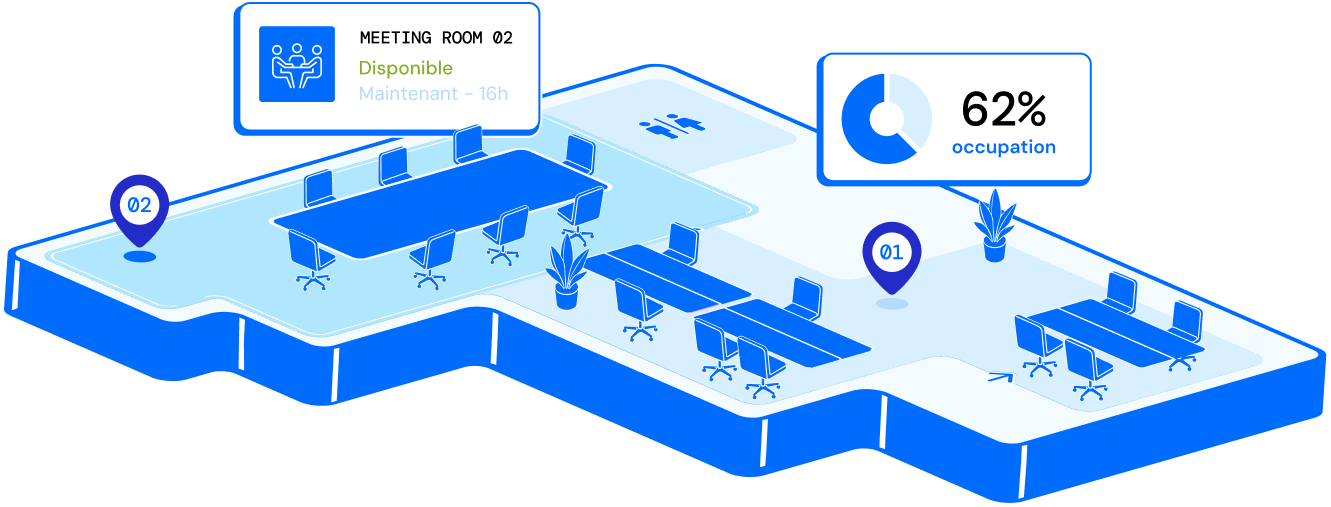
Front-desk parcel handling means identifying, registering and notifying each delivery until it reaches the recipient.

One misrouted parcel, an unreachable recipient or a missing slip is enough to slow your whole reception desk. For every delivery, your organisation needs to identify the package, alert the right person quickly and keep a clear handover record, without paper logs or duplicate entry.

Hamilton Apps centralises these steps to streamline parcel reception and provide reliable tracking from arrival to recipient handover.

PARCEL RECEPTION AT THE FRONT DESK

28% of French office-based employees

have already had personal parcels delivered to their workplace (IFOP, 2019).
  1. 01

    +3.7%

    Increase in parcel volumes distributed in France in 2024 (ARCEP)

  2. 02

    3 mins

    Average time to register a parcel and notify the recipient

  3. 03

    150/month

    Typical parcel volume at the reception of a mid-market organisation

FOR A SIMPLER FRONT DESK EVERY DAY

Five ways to streamline front-desk parcel reception

Parcel handling at reception fits naturally alongside visitor services without forcing teams to reorganise. At each delivery, the process stays simple.

Day to day

  • Label scan on arrival

    One quick scan is enough to register a parcel.

  • Automatic notifications

    Email or SMS alerts recipients as soon as their parcel arrives.

  • Electronic signature

    Each handover is confirmed with a digital signature.

  • Tablet front-desk app

    Reception teams monitor pending and handed-over parcels from a dedicated tablet.

  • Centralised multi-site tracking

    Review parcel volumes and statuses site by site from one dashboard.
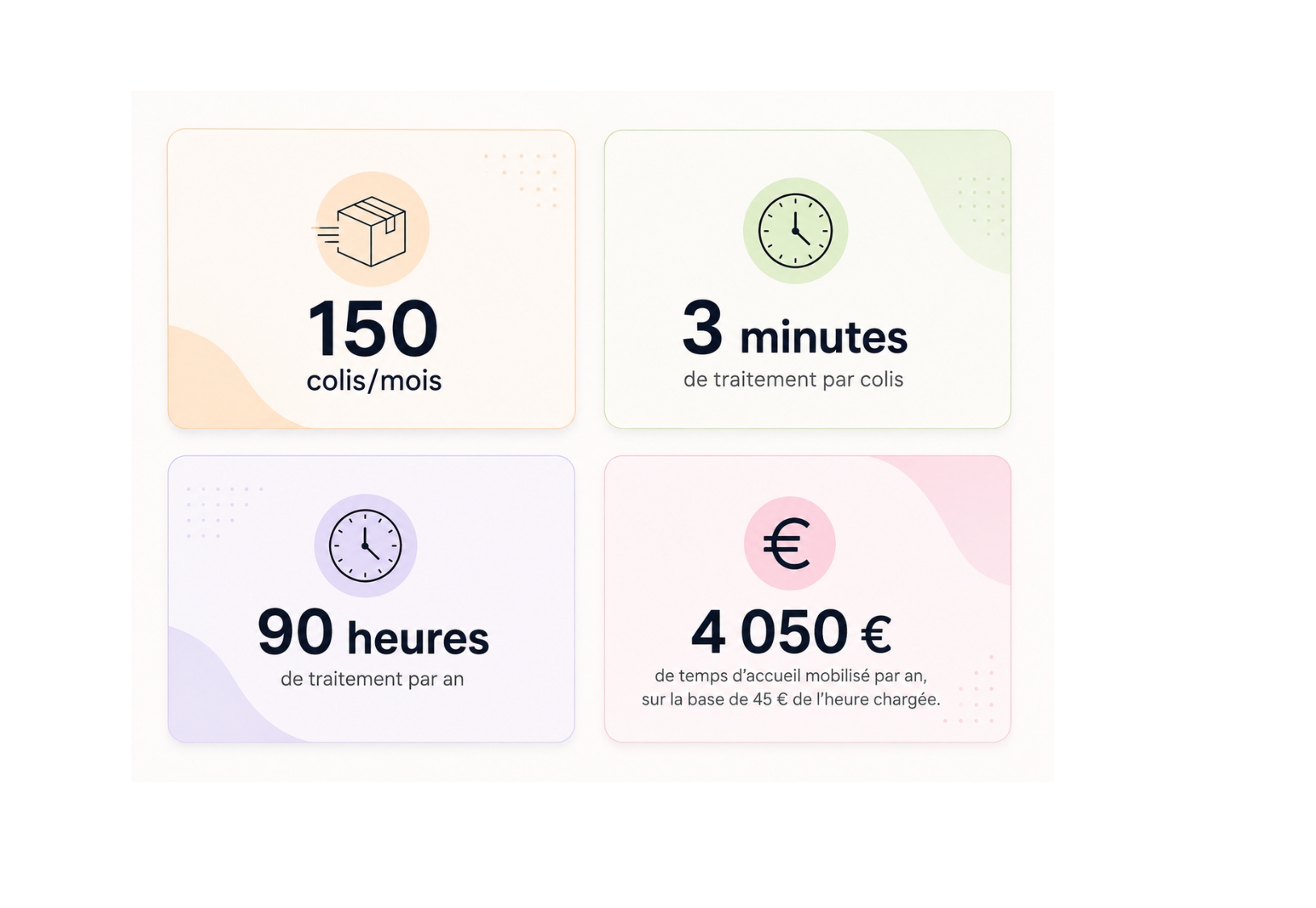
Parcel handling statistics and annual workload estimate

Reduce handling time for every delivery

Beyond reception itself, handling mail and parcels takes time to identify, find and hand over each item to the right recipient. On busy sites, these repetitive tasks can quickly burden front-desk teams.

To simplify this, three capabilities automate identification and tracking for each item:

  • Automatic data recognition: information printed on labels or documents is detected to reduce manual entry errors.

  • Advanced item search: find a mail item or parcel quickly by tracking number, content or recipient name.

  • Unique identifier per item: assign a tracking number to each item to make retrieval easier until handover.

Why choose Hamilton Apps

Parcel reception integrates seamlessly with other front-desk services, without adding complex workflows for teams.

You can therefore evolve delivery management at the pace of your needs, whether you run one reception desk, several buildings or highly variable volumes across seasons.

Recipient collecting parcels at reception

Complete traceability from parcel drop-off to recipient handover

Each item keeps a unique reference and searchable history, making it easy to locate a parcel in cases of delayed handover, disputes or recipient enquiries. Front-desk teams therefore maintain a clear control point without reconstructing the journey after the fact.

Traceability also helps identify situations outside normal operations: parcels waiting too long, unusual volume peaks or differences between sites. Data then supports front-desk adjustments and better anticipation of busy periods.

Across a multi-site estate, this shared visibility makes practices easier to compare and keeps the same KPIs from one building to another, without multiplying files or tracking methods.

Signature capture when a parcel is handed over

Monitor mail and parcel operations in real time

The dashboard centralises all reception activity related to mail and parcels. You can view received volumes, deliveries in progress, parcels waiting and recent notifications in real time.

This overview helps teams track front-desk activity throughout the day, spot volume shifts quickly and identify the busiest periods. Across several sites, you can also compare activity levels and allocate resources more effectively.

Company parcel storage shelves

Anticipate storage-area saturation

On high-volume sites, tracking alone is not enough: you also need to prevent reception and storage areas from becoming saturated. By analysing incoming volumes and their trends over time, you can size delivery storage space according to real demand at each site.

This visibility supports better front-desk layout decisions and helps anticipate periods when additional storage capacity is required.

FAQ

Frequently asked questions

Cannot find the answer you need?

Contact us
How does meeting room booking software prevent double bookings?

All rooms share a single reference calendar that is updated in real time. If someone requests a time slot that is already booked, the request is declined or flagged to the organiser, who is shown similar rooms available at the same time.

Does the software integrate with Outlook and Teams?

Yes. You can add a room directly from an Outlook or Teams invitation without entering the details twice. It appears in every participant's calendar, the video meeting link is added automatically, and any changes or cancellations are synchronised both ways.

How long does it take to deploy a meeting room booking system?

The timeline depends on the number of sites and rooms, as well as the integrations you need. We provide a tailored estimate during the demonstration once we understand the scope of your project.

Can I book a room from a mobile or a tablet outside the room?

Yes. You can book from a computer, mobile or tablet installed at the room entrance. The on-site display shows the room's current status and lets you book the next time slot in seconds.

What happens if someone does not turn up for a booked room?

An unconfirmed booking can be released automatically after a period that you define. The room then becomes available to other teams, while the rate of unattended bookings remains visible in your occupancy analytics.

How can I see Outlook and Teams synchronisation and conflict alerts working with my rooms?

Request a demonstration and we will recreate the journey using a representative selection of your sites and rooms, including Microsoft 365 synchronisation.

View resources